See your real capacity. Plan every week with confidence.
How loaded every line is, how fast the backlog clears and how many lines the plant will need in the years ahead. One platform, from the data check to tomorrow's plan.
See it on demo data
Free: the product guide, the full recovery demo and a 20-min call. Instant access.
No newsletter. Questions? Write to support@optiloadsmart.com.
Answers the questions a plant asks every week
Where are we overloaded?
Required against available shifts for every line and week, from your cycle times, OEE, shift pattern, planned downtime and holidays.
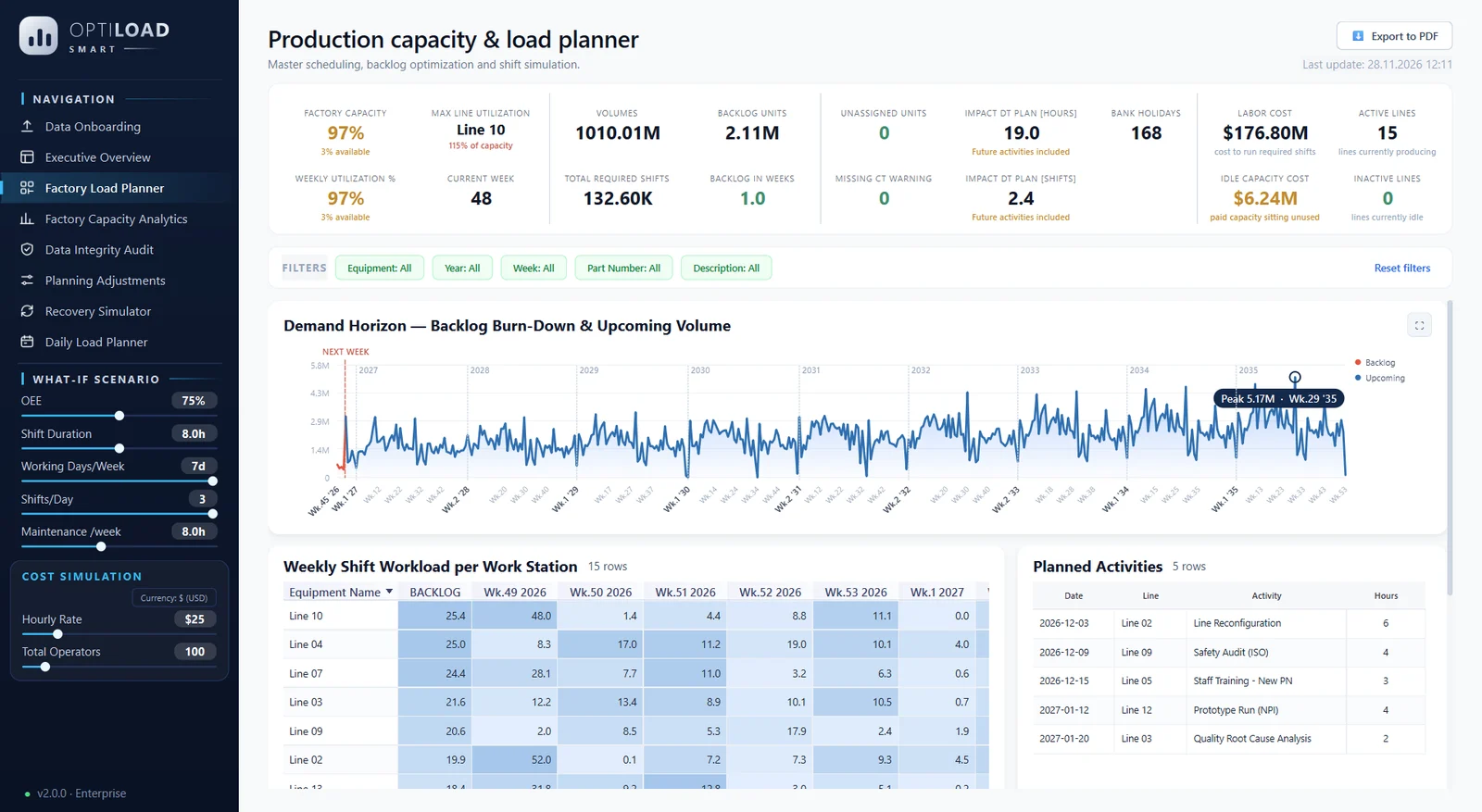 DashboardFactory Load Planner
How do we catch up?
Set your priorities and a deadline. See what is recovered, what stays short and what each choice costs the other parts.
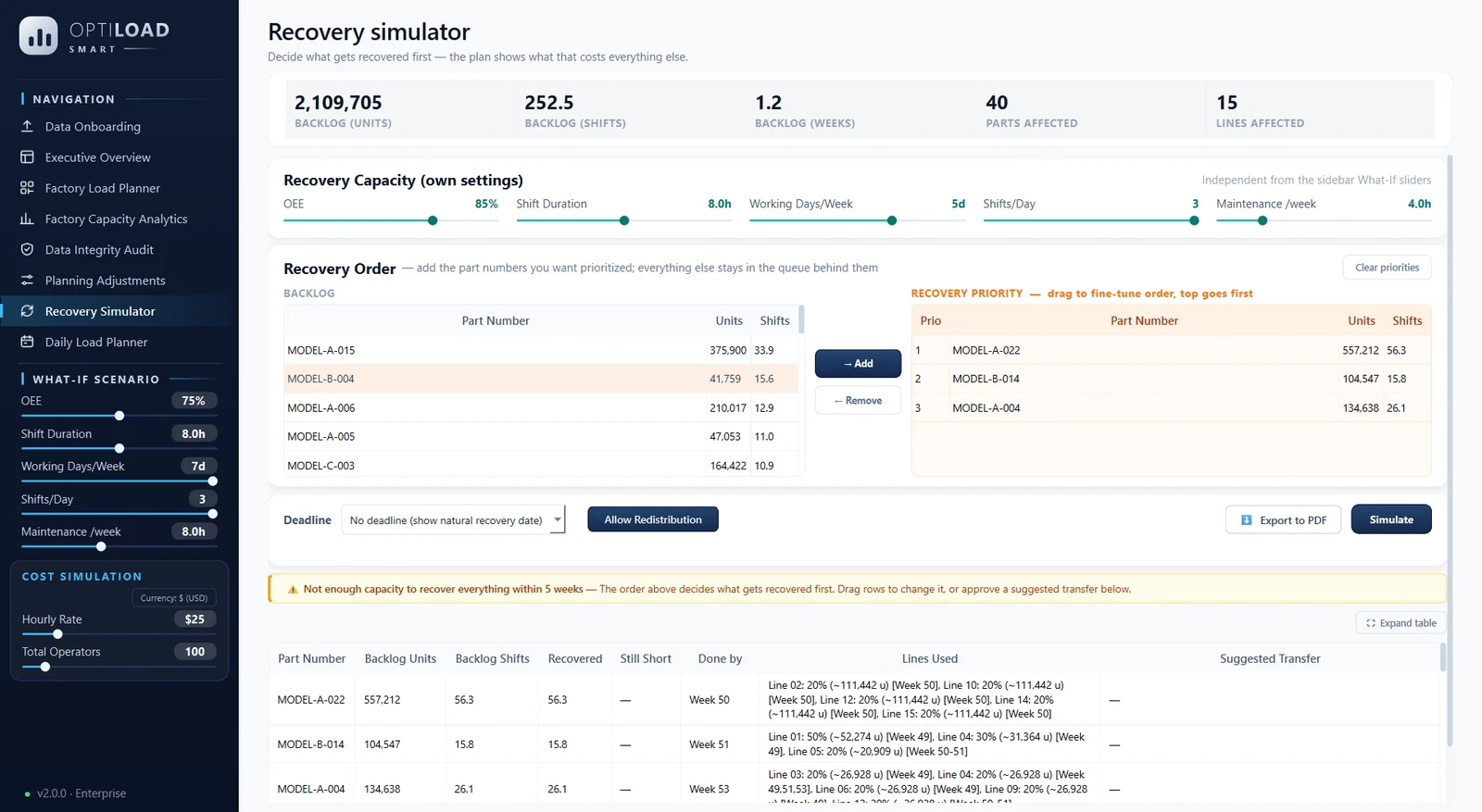 DashboardRecovery Simulator
Will we need more lines?
Pick a target utilization and a demand scenario. See lines needed against lines installed, year by year, and the first year you fall short.
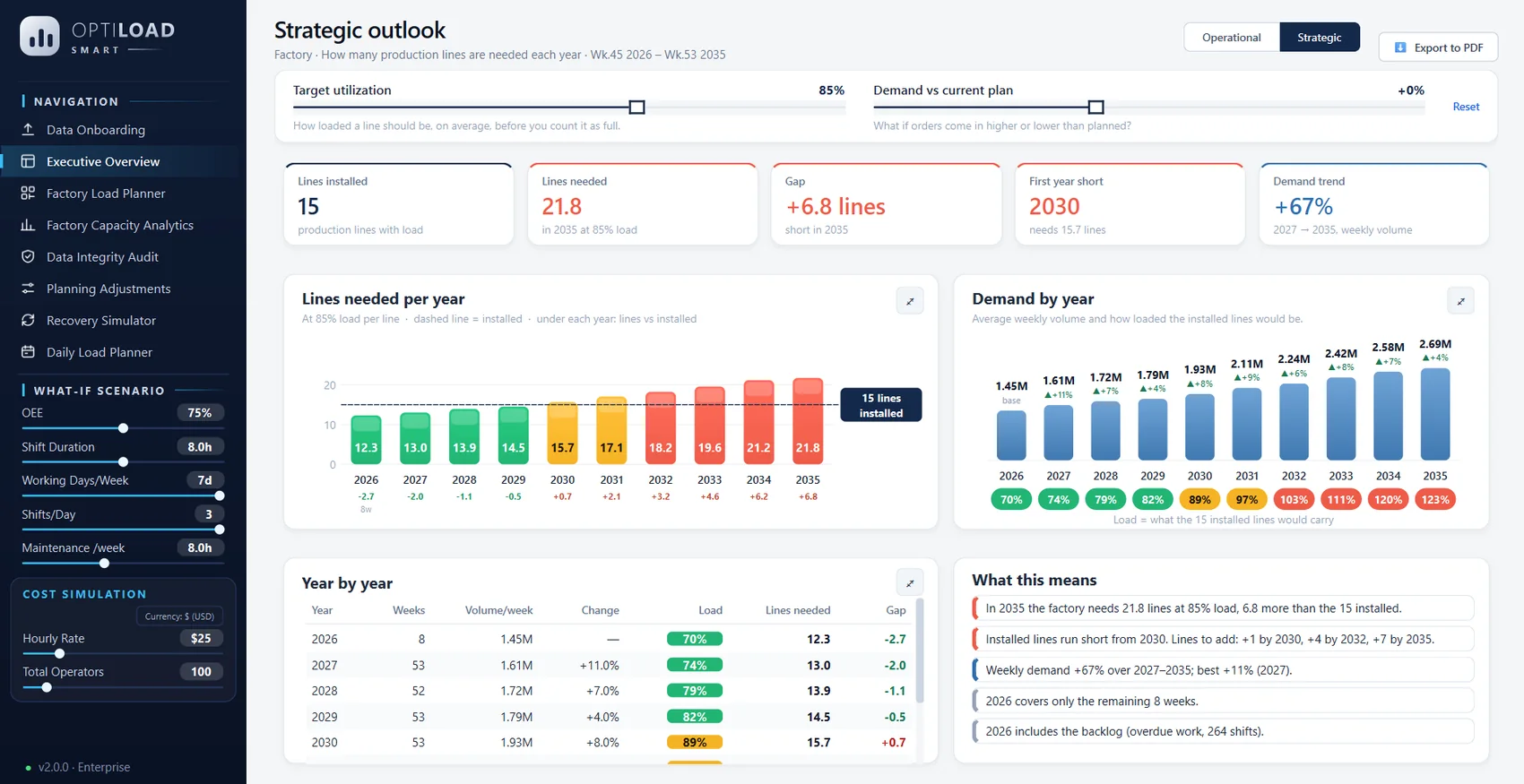 DashboardStrategic Outlook
Numbers your team can defend: data checked on load, every screen reconciles to the same figures, source data never modified, one-click PDF reports. Runs on your own machine, live in about a week.
9 modules: data onboarding · data integrity audit · executive overview · factory load planner · capacity analytics · planning adjustments · recovery simulator · daily load planner · strategic outlook
“Send me a recovery plan by Friday.”
15 lines, 40 late part numbers. Ten minutes later: which part comes back first, on which line, in which week, and what does not fit.

Albert Szakacs, Founder of OptiLoad Smart
25+ years in manufacturing operations and capacity planning · Timișoara, Romania
Over more than 25 years in manufacturing, Albert saw the same problem in plant after plant: recovery plans rebuilt by hand the night before the weekly meeting. The result is one tool that the whole plant, from the planner to the plant director, can plan and decide with. It runs on your own computer and your data never leaves it.
Questions
Why do you ask for my email?
So we know who is interested and can answer your questions. You get access immediately; there is no newsletter and no automatic sequence.
Is the case real?
The numbers come from the OptiLoad Smart demo plant: 15 lines, 40 late part numbers, real cycle-time logic. Every screen you see is a screenshot of the working application.
Does OptiLoad Smart need my production data online?
No. It is a desktop application that runs on your computer. Nothing is uploaded to a cloud service.
What does a pilot look like?
4 to 6 weeks on one facility, using your own data in our standard template. We check the data together, review the findings with your team, and the pilot fee is credited toward the first-year license.